The Deployments Panel is where enterprise super users manage deployment packages that distribute ribbon tools to users across the tenant. Deployments determine which buttons appear for users and enforce firm‑wide standards.
Deployment functionality is Enterprise‑only and available exclusively to Super Users.
Standard users cannot create or modify deployments, and free-tier users only see an upgrade message.
4.6.1 Overview
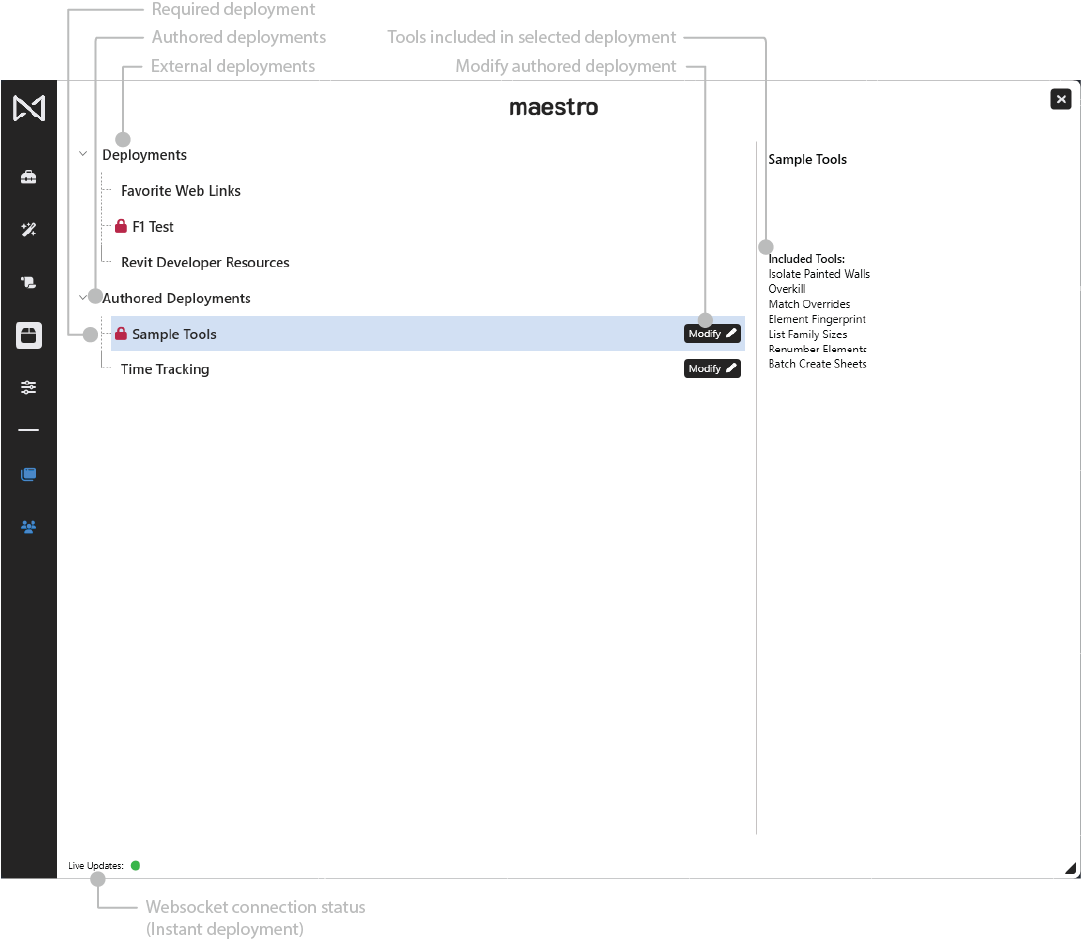
The Deployments Panel provides a management view of:
- Authored deployments (owned by the current Super User)
- External deployments (created and sent to you by Super Users)
- Tools included in each deployment
Modifying or creating deployments happens inside the Ribbon Manager, not directly in this panel.
4.6.2 Access Levels
Super Users (Enterprise)
- Full access
- Can create deployments
- Can modify deployments they authored
- Can open deployments in Ribbon Manager deployment mode
Standard Users (Enterprise)
- See deployments that apply to them
- No “Create Deployment” or “Modify” buttons
- Cannot enter deployment mode
Free Tier or Local Users
- Do not have deployment access
- See only an upgrade prompt:
“Deployment features are available only for Enterprise accounts. Contact the Maestro team to upgrade.”
4.6.3 Deployment Categories
External Deployments
- No Modify button
- Read‑only view
Required Deployments
- Always applied to all users
- Cannot be hidden or disabled
- Marked with a red lock.
Authored Deployments
Deployments created by the current Super User.
- Display a Modify button
- Clicking Modify opens the Ribbon Manager in deployment mode
- Changes apply instantly once saved
4.6.4 Deployment Summary Panel
Selecting a deployment shows a detailed summary on the right:
- List of included buttons
4.6.5 Deployment Creation & Modification (Ribbon Manager)
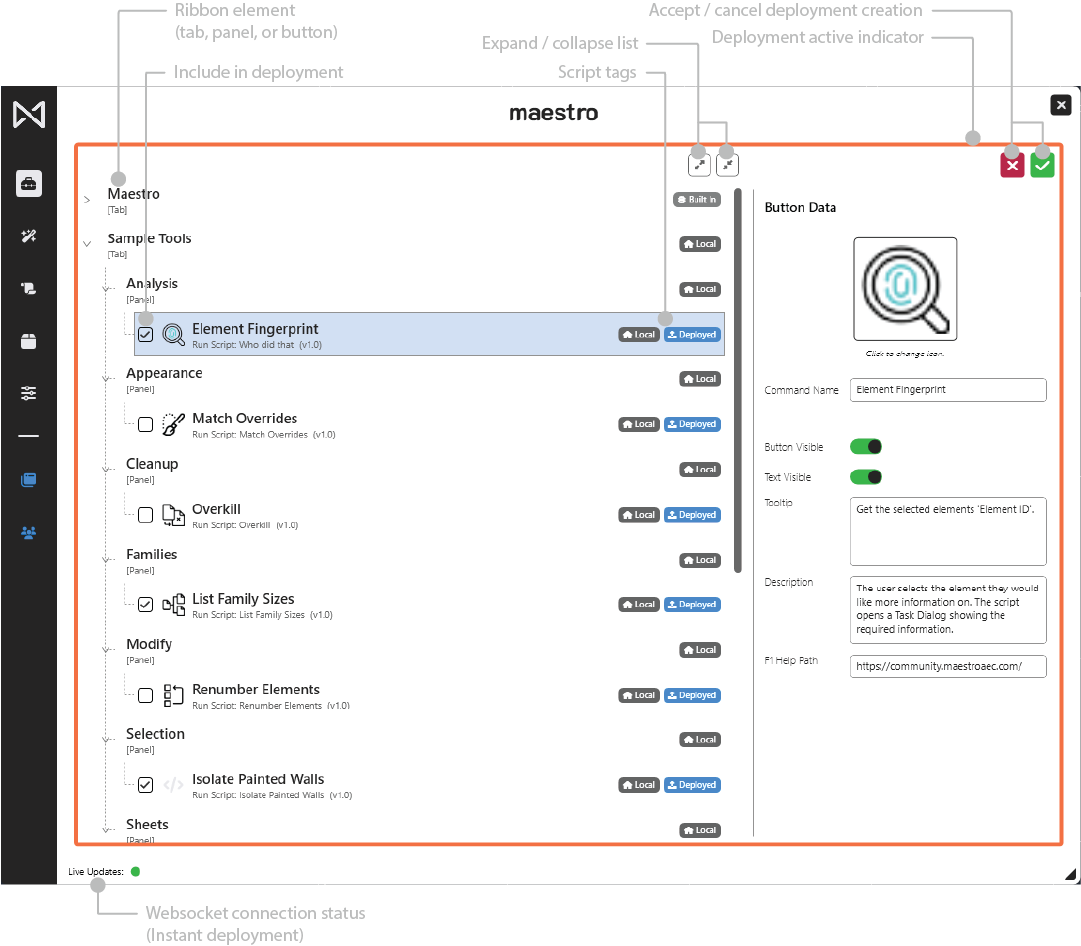
Deployment authoring happens inside the Ribbon Manager and is marked by an orange border.
Activation
Super User clicks:
- Deploy (new deployment), or
- Modify (on an authored deployment)
Standard users will not see these buttons.
Only Buttons Have Checkboxes
Deployment mode adds checkboxes only to buttons.
Panels and tabs are never selectable.
Automatic Hierarchy Extraction
Maestro builds the minimal hierarchy required:
- Parent panel is included automatically
- Parent tab is included automatically
- No empty containers are ever included
Buttons in Multiple Deployments
A button may be part of any number of deployments with no conflict.
4.6.8 Best Practices
- Use required deployments only for firm-wide standards
- Create role-based deployments for discipline or project teams
- Keep deployments minimal to reduce clutter
- Review deployment selections before committing
- Test deployments using a non-admin account before rolling out tenant-wide